How to embed an IP camera live stream on your website?
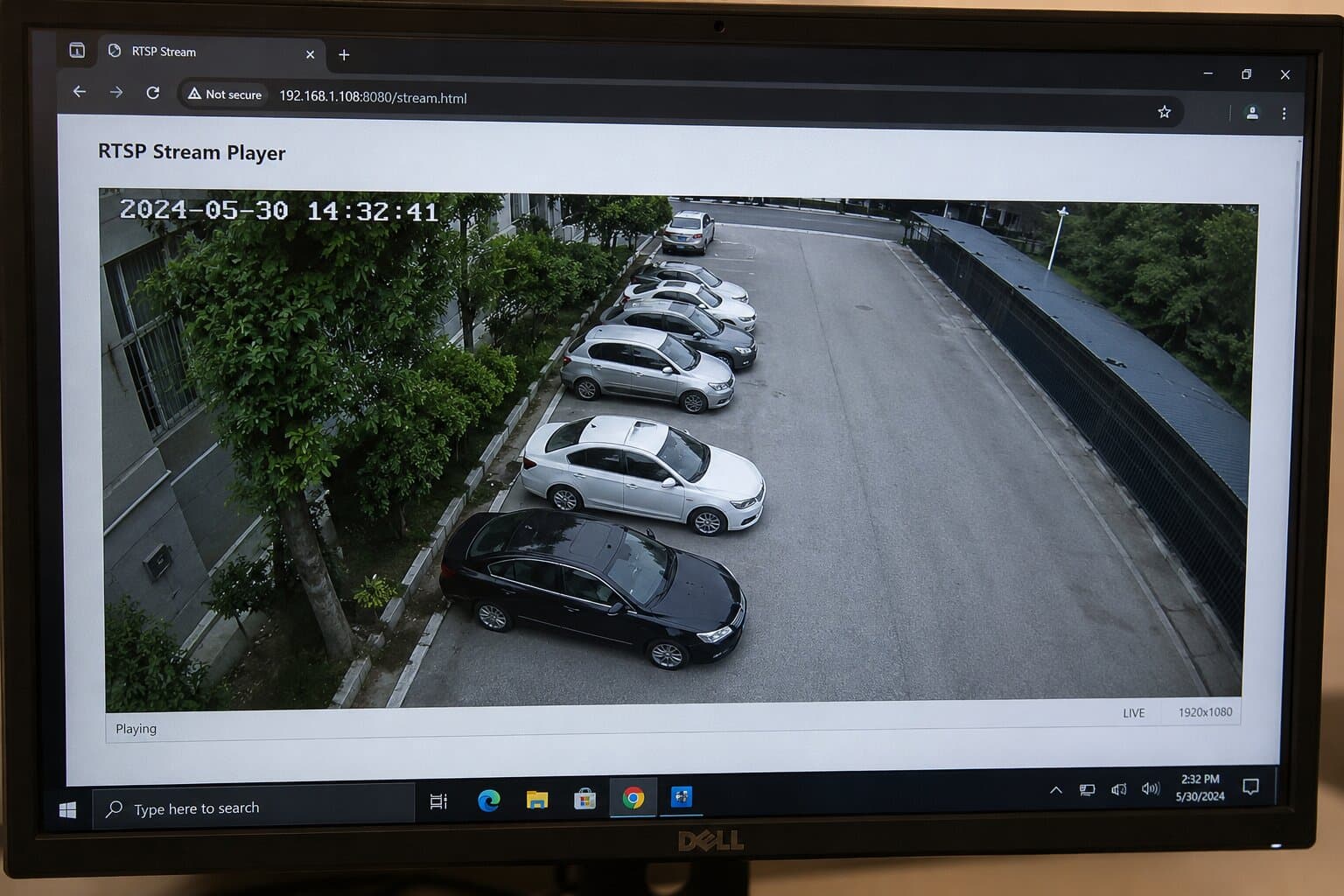
Can you embed RTSP in HTML? This is usually the first question people ask when they want to put an ip camera on a web page.

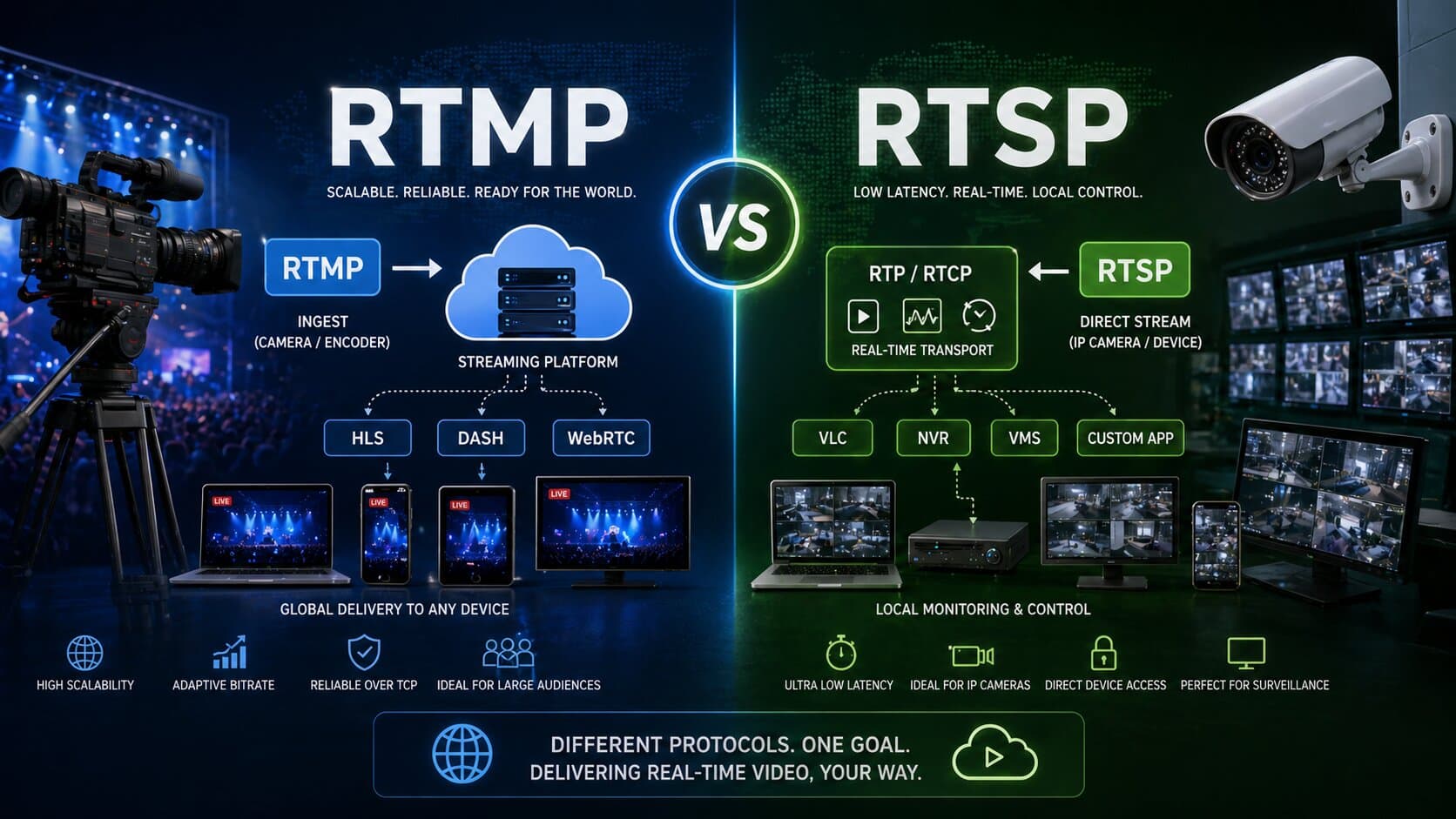
The honest answer is: not directly in a modern browser. RTSP is widely used by cameras and NVR systems, but most browsers do not natively play RTSP/RTP sessions. In practice, that means you usually cannot paste an rtsp url into an HTML5 player and expect the stream to work. RTSP is best treated as the camera-side protocol, while WebRTC or HLS is the web-side delivery format.
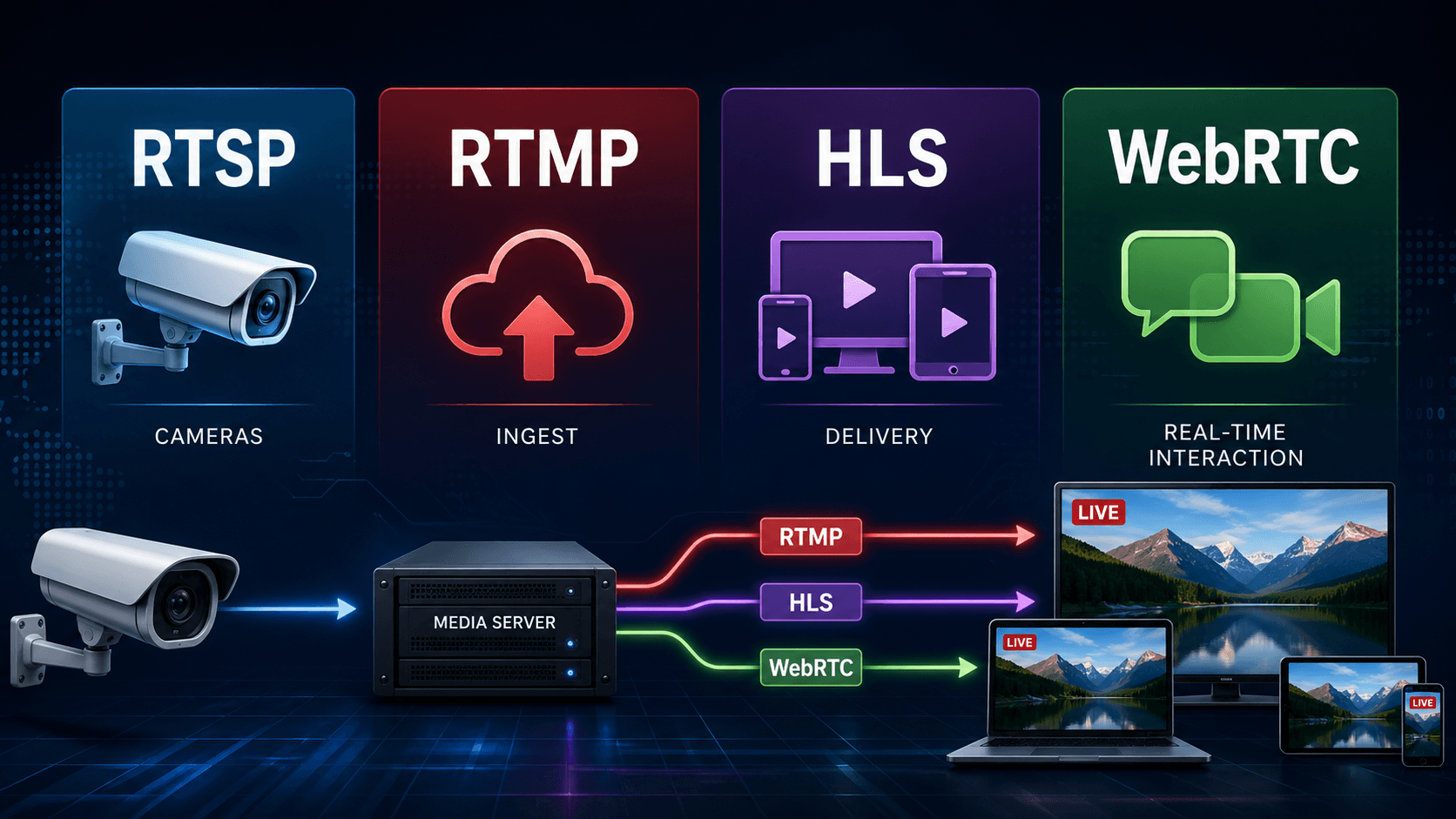
So what is the best way to stream an ip camera to a website? In most real projects, you connect the camera with RTSP on the first mile, then convert that feed into WebRTC for ultra-low latency or HLS for broad compatibility. That approach lets you embed live video in a webpage without exposing the camera directly to the public internet. It is also the safest and most scalable pattern for ip camera streaming today.
Can you embed an IP camera RTSP stream in a web page?
Not in the way most people hope. RTSP is a session-control protocol, not a browser-native playback format. MDN notes that RTSP controls media sessions and that RTP/RTCP streaming is not natively supported in most browsers. That is why a plain HTML5 <video> tag usually will not open an rtsp stream from an ip camera.
This is the key distinction to understand at the start. Your ip camera may output H.264 over rtsp, often on port 554, but your website needs something the browser can actually render. For that reason, direct embedding ip camera feeds with raw RTSP is outdated for public sites. It used to rely on a plug-in or desktop software such as vlc, but that is not how modern HTML5 video delivery works. Browsers expect web-friendly streaming methods instead.
How to display an IP camera on a web page?
The cleanest way to display camera video on a web page is to use a media gateway, server, or streaming service between the camera and the website. The camera sends RTSP to your server. The server republishes that feed as WebRTC or HLS. Then you embed the output in HTML using a player, an iframe, or custom JavaScript. This lets users can watch the feed on desktop, smartphones, and often ios devices too, depending on your playback stack. There are three common ways to do it:
- WebRTC for the lowest-latency live video stream, ideal for surveillance, PTZ interaction, or anything close to real time.
- HLS for maximum compatibility and easy HTML5 playback on many devices.
- An iframe from a third-party service for embedding if you want the easiest deployment and do not want to manage the media pipeline yourself.
Why you should avoid exposing the camera directly?
Many people try to embed ip camera access by opening the ip address on the public internet, enabling port forwarding on the router, and linking the stream from the website. Technically, this can work in a lab. In production, it is rarely the best idea.
Why? Because publishing the camera’s own endpoint means dealing with a public ip address, firewall rules, authentication, and direct device exposure. If your ISP changes your address, you may need ddns or a static ip address. If you open the wrong port, you create unnecessary risk. And if multiple visitors hit the same camera concurrently, the device itself may become the bottleneck. A reverse layer with access control is simply better. That is how you keep the feed available without exposing the camera interface itself. This is especially important for cctv, dvr, or nvr deployments.
In other words, if you want to embed live surveillance video on a public site, do not point the world at the camera directly. Put a proper gateway in front of it.
The best way to stream IP camera to website
So what is the best architecture? For most websites, the answer is this: use RTSP from the camera to an ingest server, then restream to the browser with WebRTC or HLS. RTSP remains common on hd ip camera hardware, especially in security and monitoring. WebRTC is designed for real-time communications in major browsers, making it excellent for live video where delay matters.
If your priority is immediate playback with minimal lag, WebRTC is usually the strongest option. If your priority is simple playback across many devices and you can tolerate more delay, HLS is often easier. For many businesses, the ideal setup is hybrid: RTSP ingest, WebRTC for the live operator view, and HLS for public viewers.
RTSP, HTML, and HTML5: what actually works
Let’s make this concrete. A raw RTSP address may look like this:
rtsp://username:password@camera-ip:554/stream1
That url is useful for tools like vlc, NVR software, or a media server. It is usually not suitable as a direct source inside HTML5 on your web page. The browser can parse HTML just fine, but it still needs a supported transport and delivery method. HTML5 itself is not the problem. The unsupported playback protocol is the problem.
If you want to embed video in an html file, you generally convert that feed first and then use standard html code.
Here is a simple HTML5 HLS example:
<video controls autoplay muted playsinline width="100%">
<source src="https://your-domain.com/live/camera.m3u8" type="application/x-mpegURL">
</video>
And here is a typical iframe approach when a platform gives you hosted playback:
<iframe
src="https://player.example.com/camera/123"
width="100%"
height="480"
allow="autoplay; fullscreen"
allowfullscreen>
</iframe>
This is often the fastest way to easily embed a stream, especially if your provider gives you ready-made embed code to your web project. It is basically copy and paste, which is attractive when you do not want to manage transcoding yourself.
WebRTC for low-latency live video
If your goal is a near real-time live stream, WebRTC is usually the premium route. The WebRTC project describes it as an open standard that supports video, voice, and data in all major browsers through JavaScript APIs. In practical terms, that means it is designed for interactive, low-delay experiences on the open web.
This is why WebRTC is such a strong fit for security dashboards, remote monitoring, industrial cams, and PTZ workflows. If you need to pan, tilt, zoom, or react instantly to what the cam sees, WebRTC feels dramatically better than a delayed HLS player.
A common pattern looks like this: the camera’s RTSP output comes into a gateway, the gateway republishes it as webrtc, and your site plays it in the browser over HTTPS, often on 443 behind a reverse proxy. That last part matters, because secure delivery is a big deal on the modern web. Related browser APIs also increasingly require secure contexts.
HLS and iframe for easier broadcasting
Not every project needs sub-second delay. Sometimes you just want stable broadcasting on a marketing site, a facility status page, or a customer portal. In those cases, HLS or a hosted player can be the better call.
An HLS-based workflow is straightforward: ingest RTSP, transcode if needed, publish an HLS playlist, and embed live video with a player. It is not as immediate as WebRTC, but it is broadly compatible and easy to manage at scale. This is especially useful when many viewers will watch concurrently.
A hosted streaming service can simplify things even more. Platforms in the market often let you add the camera, configure the source, and then use a player link or iframe on your website. Some services even specialize in service for embedding IP camera feeds. One example commonly referenced in this space is ipcamlive. This route can save a lot of time if you want a polished result without maintaining a media server stack yourself.
How to find the RTSP URL and prepare the source
Before you can publish anything, you need to find the rtsp endpoint from your camera. That information usually comes from the manufacturer, the ONVIF profile, or the camera admin panel. Brands such as dahua often publish standard path patterns, although the exact syntax varies by model and firmware.
Typically, you will need:
- Your camera’s ip address,
- username,
- password,
- channel or profile path,
- and sometimes the codec profile.
Most cameras output h.264, which is still the easiest choice for broad streaming support. On a local network, you can test the source first in vlc. If VLC opens the feed, the camera is probably sending valid RTSP.
This is also the stage where you decide whether to publish a single stream or multiple profiles such as high quality for recording and lower bitrate for web viewing. That one decision can make your site more stable under load.
An example deployment flow
A practical deployment might work like this. You connect the camera on the LAN, assign or reserve a static internal address, and verify the rtsp url in VLC. Then you send that feed to a gateway or open source media server. The server republishes the stream as WebRTC and optionally HLS. Your website then uses either a JavaScript player or an iframe to embed the live video.
If remote access is required from outside the building, you place the media gateway behind a firewall and a reverse proxy. In some cases you still need port forwarding, but it is better to expose the relay than the camera directly. If your internet connection does not provide a stable external IP, ddns can help, though many teams prefer a cloud relay instead. This is cleaner, more securely managed, and easier to scale when viewers arrive concurrently.
HTML code examples for embedding
Below are three practical patterns.
An iframe from a hosted platform:
<iframe
src="https://player.your-streaming-service.com/embed/camera01"
width="100%"
height="480"
frameborder="0"
allow="autoplay; fullscreen"
allowfullscreen>
</iframe>
A basic HTML5 player for HLS:
<video id="live" controls autoplay muted playsinline width="100%">
<source src="https://example.com/live/camera01.m3u8" type="application/x-mpegURL">
</video>
And a container for WebRTC playback:
<div id="webrtc-player"></div>
<script src="/player.js"></script>
<script>
startPlayer({
elementId: "webrtc-player",
stream: "camera01"
});
</script>
This is where the front end becomes pleasantly simple. The complexity sits in the media pipeline, not in the website markup.
What about older methods like img refresh or plug-ins?
Years ago, some sites displayed a camera with a repeatedly refresh-ing img tag that pulled JPEG snapshots. Others relied on browser plug-in technology. These methods still exist in niche setups, but they are no longer the best answer for modern streaming video.
Snapshot refresh can be acceptable for a low-demand preview, but it is not a true live video stream. It also feels clunky in full screen and does not scale elegantly. Plug-ins are even less attractive now because modern browsers have moved away from them almost entirely. For a serious deployment, stick with WebRTC, HLS, or a hosted player.
The smart way to embed an IP camera on a webpage
So, can you embed RTSP in HTML? Usually no, not directly. Can you display an ip camera on a webpage? Absolutely yes. The right method is to treat RTSP as the ingest format and the browser player as the delivery layer.
If you want the best user experience, do not stream directly from the camera to the site visitor. Put a server, gateway, or hosted streaming service in the middle. You can use Realtime for that purpose! Use RTSP from the camera, then deliver with WebRTC for low latency or HLS for broader reach. That lets you embed live, protect the device without exposing its raw interface, and create a stable live video experience your audience can actually use.