RTSP Streaming Protocol - Complete Technical Guide
Learn how RTSP streaming works, including RTP transport, session setup, latency tuning, and best practices for secure, reliable video streaming systems.
%2520(3).png&w=3840&q=75)
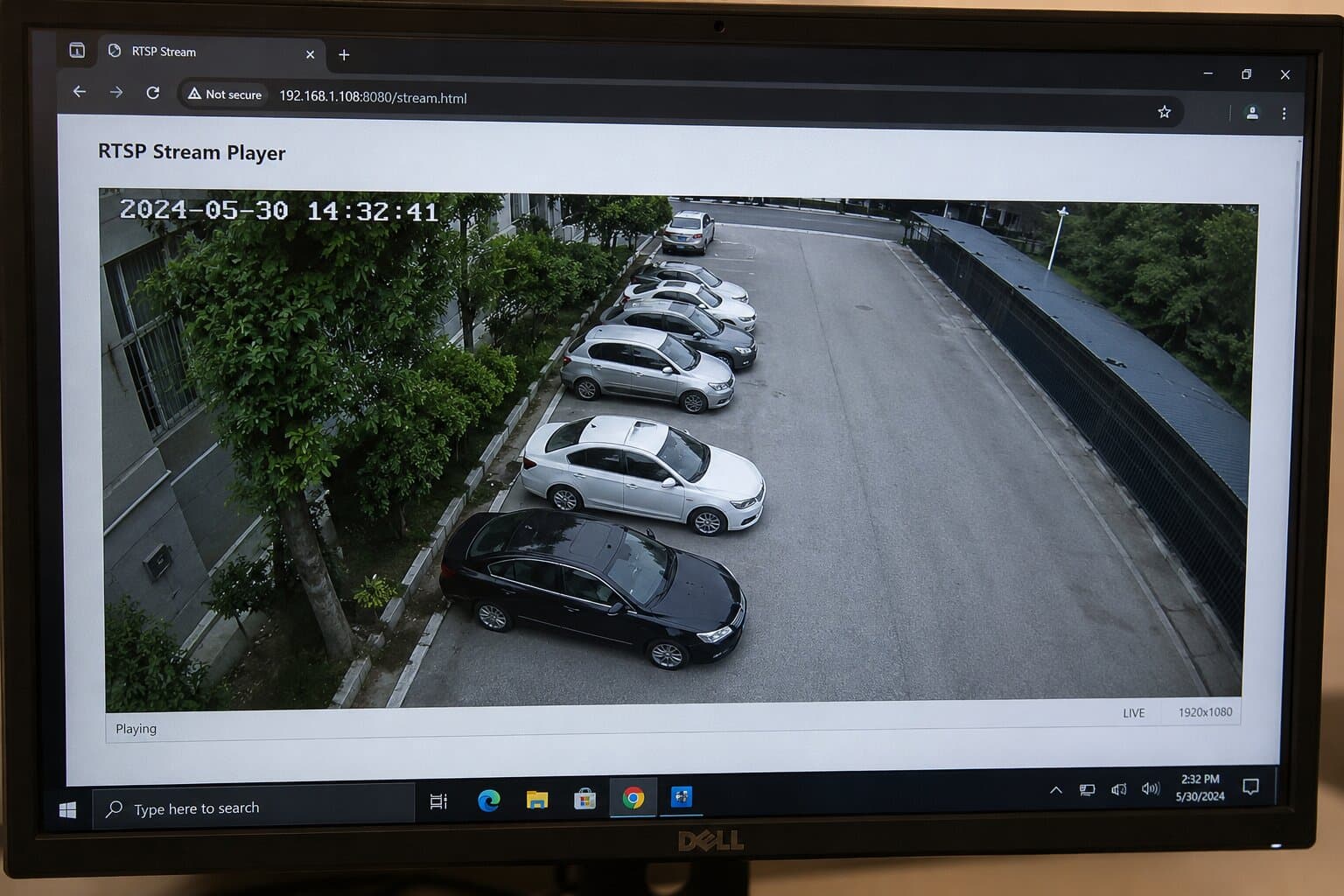
The RTSP streaming protocol (Real Time Streaming Protocol) is still one of the most important building blocks in professional video workflows. It powers IP cameras, NVRs, VMS platforms and many low-latency rtsp streaming applications where you need fine-grained control over live video.
What is RTSP and how does it work?
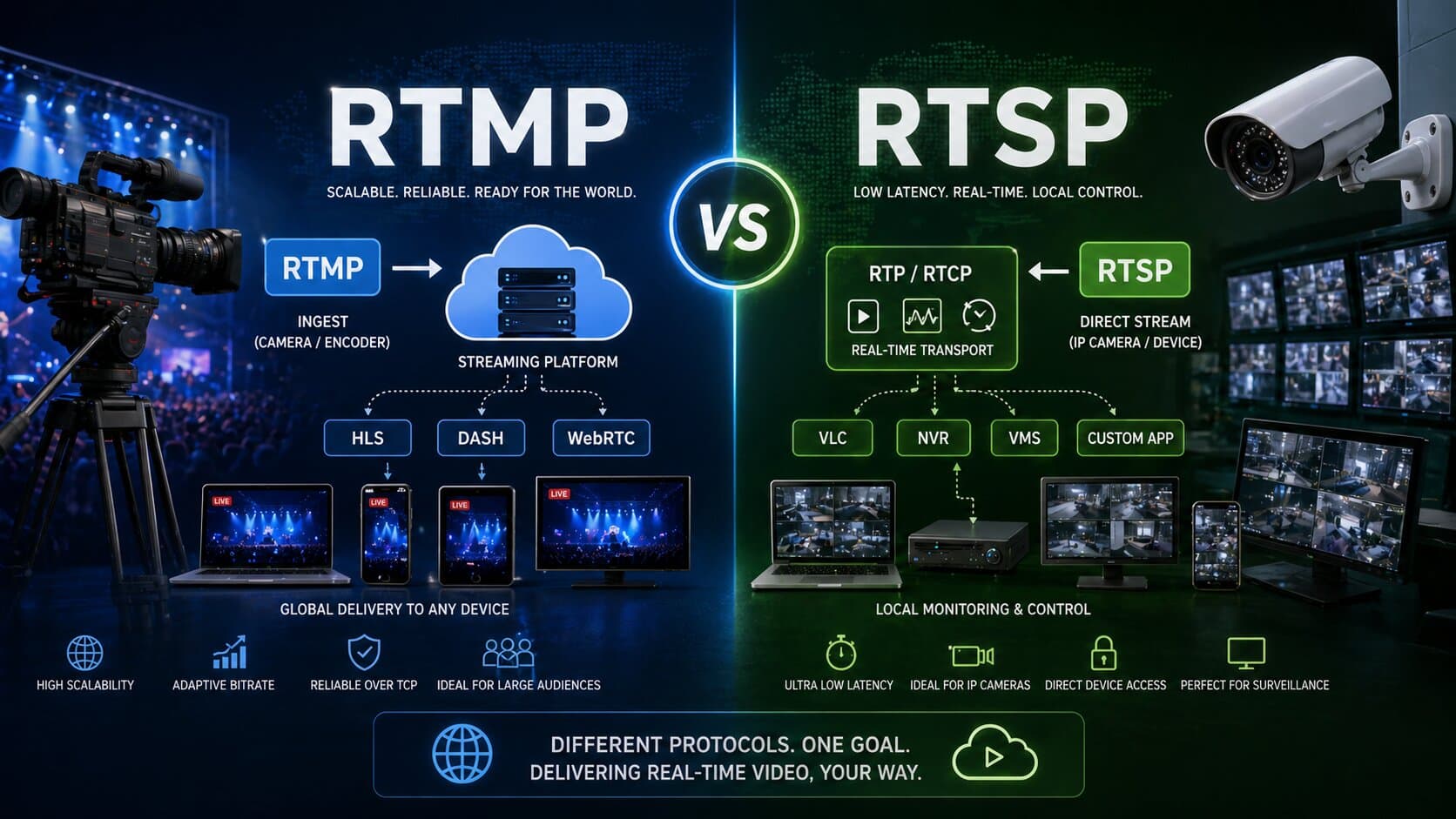
RTSP is an application-layer control protocol. It doesn’t carry the video itself - instead, it controls the media session, while the actual audio/video is transported by RTP (Real-time Transport Protocol). Key points:
- Client-server model - a client (VMS, NVR, player, or cloud platform) talks to a camera or media server.
- Stateful sessions - unlike HTTP, RTSP keeps track of session state (what stream, what position, who’s connected).
- Out-of-band media - control messages go via RTSP, media packets via RTP/RTCP on separate ports.
- Fine control - clients can start, pause, resume and tear down streams with dedicated methods such as PLAY and PAUSE.
In other words: rtsp protocol streaming = RTSP for control + RTP/RTCP for media delivery.
RTSP methods and session lifecycle
A typical rtsp streaming session between a client and an IP camera looks like this:
- TCP connection to RTSP port
- Usually 554 (or 8554 / custom).
- DESCRIBE - ask “what is this stream?”
- Client sends DESCRIBE rtsp://camera/stream RTSP/1.0
- Server replies with SDP (Session Description Protocol): codecs, ports, payload types, etc.
- SETUP - negotiate transport
- Client requests how it wants RTP delivered:
- UDP unicast (client ports)
- UDP multicast
- TCP interleaved (RTP over RTSP)
- Server replies with a Session ID and confirmed transport.
- PLAY - start the stream
- Client sends PLAY with the session ID.
- Server starts sending RTP packets on the agreed transport.
- Optional PAUSE / GET_PARAMETER
- To pause playback or send keep-alive messages.
- TEARDOWN - close the session
- Client tells the server to release resources.
Every RTSP request includes:
- CSeq - command sequence number (for matching replies).
- Session - ID returned in SETUP and reused in later calls.
If you’re building your own client or server, getting this RTSP stream setup sequence right is non-negotiable.
Transport: RTP over UDP vs RTP over TCP
Once RTSP has set up the session, media flows via RTP. You have two main options:
RTP over UDP
- Lowest overhead, lowest latency.
- Great for LAN or controlled networks with QoS.
- But: many firewalls and NATs block or mangle UDP, so streams may fail or be choppy.
RTP over TCP (interleaved)
- Everything (RTSP control + RTP media) goes through one TCP connection.
- Usually passes firewalls and NATs without extra configuration.
- Slightly higher latency because of retransmissions and ordering guarantees.
For internet-facing rtsp streaming, TCP interleaved is typically the safest default. For local surveillance networks with managed switches, UDP can be used for minimal latency - as long as the network is designed for it.
RTSP codecs and SDP - what’s actually being streamed?
The rtsp streaming protocol is codec-agnostic. Codec details are declared in the SDP you receive in the DESCRIBE response.
Typical video codecs over RTSP:
- H.264 / AVC - still the workhorse for IP cameras.
- H.265 / HEVC - more efficient, especially for 4K or 8MP cameras.
- MJPEG - simple but very bandwidth heavy.
Extract from a typical SDP for H.264:
m=video 5000 RTP/AVP 96
a=rtpmap:96 H264/90000
a=fmtp:96 packetization-mode=1;profile-level-id=42e01e;sprop-parameter-sets=...
From this you know:
- RTP payload type (96)
- codec (H264)
- RTP clock rate (90000)
- extra codec parameters (fmtp)
If a player fails to decode the stream, SDP is the first place to look: mismatched payload types or broken fmtp values are a common cause of “no video” issues in rtsp streaming.
5. Practical RTSP stream setup for IP cameras
Let’s walk through a typical IP camera configuration and RTSP integration.
5.1 Camera configuration
On the camera/NVR side:
- Set resolution (e.g. 1080p or 4K).
- Choose codec (H.264 for compatibility, H.265 if your stack supports it).
- Configure bitrate and CBR/VBR (more on that in a moment).
- Enable RTSP and note:
- RTSP URL (often documented by the vendor)
- username / password
- ports (RTSP, HTTP, custom)
Example RTSP URL:
rtsp://user:[email protected]:554/Streaming/Channels/101
5.2 Client RTSP setup
Using FFmpeg as an example:
ffmpeg -rtsp_transport tcp \
-i rtsp://user:[email protected]:554/Streaming/Channels/101 \
-c copy output.mp4
Using VLC:
- Media → Open Network Stream → rtsp://user:pass@IP/path
- For TCP interleaved, enable “RTP over RTSP (TCP)” in preferences.
For production use (NVR, VMS, or your own backend), the same principle applies:
implement the DESCRIBE → SETUP → PLAY flow properly, and respect whatever transport and timeout the camera specifies.
6. Best practices for RTSP streaming quality and stability
6.1 Bitrate and GOP tuning
For a stable rtsp streaming setup, bandwidth planning is key.
As a rough guide for H.264:
- 1080p @ 25-30 fps → 4-8 Mbps
- 4K @ 25-30 fps → 12-20 Mbps
Best practices:
- Use CBR (Constant Bitrate) for surveillance and monitoring - predictable and easier on the network.
- Set a reasonable GOP / I-frame interval - e.g. 1-2 seconds.
- Too frequent I-frames = higher bitrate.
- Too rare = harder recovery after packet loss.
For multi-camera deployments, sum the bitrates and add at least 20-30% headroom for overhead and bursts.
6.2 Choosing UDP vs TCP
- Use TCP interleaved for:
- remote sites
- clients behind unknown firewalls
- cloud ingestion
- Use UDP for:
- closed LANs
- well-managed networks with QoS and minimal loss
If you see random freezes, black frames, or one-way audio on UDP, switch to TCP and test again.
6.3 Latency tuning
To reduce latency on the client side:
- Minimize buffer sizes (e.g. -fflags nobuffer in ffplay / FFmpeg).
- Use TCP only if you must; otherwise optimized UDP can be 100-300 ms quicker.
- Avoid unnecessary transcoding - pass through the codec when possible (-c copy).
Remember: in many surveillance use cases, stable ~1-2 seconds latency is preferable to ultra-low latency with constant stutter.
7. Security for RTSP protocol streaming
Classic RTSP is clear-text: URLs, credentials, and control traffic can theoretically be intercepted. For secure rtsp protocol streaming, consider:
7.1 Authentication
- Always enable password protection on your cameras (Basic or Digest auth).
- Use strong, unique passwords - never leave defaults like admin/admin.
7.2 Encryption
Options include:
- RTSPS - RTSP over TLS (similar to HTTPS), encrypting the control channel (and often interleaved RTP).
- SRTP - Secure RTP, encrypting the media path itself.
Not all cameras support these, but where available, they should be enabled for internet-facing deployments.
7.3 Network design
- Place cameras and NVRs on a dedicated VLAN.
- Restrict direct internet exposure; use VPNs or a secure gateway.
- On the WAN side, avoid port forwarding raw RTSP unless you’ve hardened everything else.
When you use a cloud platform (like Realtime) as an RTSP ingest point, the platform becomes your secure bridge: the camera talks to a known endpoint, and viewers never connect to the camera directly.
8. Common RTSP streaming problems and how to fix them
8.1 Stream drops after a few seconds
Symptoms: plays for 3-10 seconds, then disconnects.
Likely causes:
- Client not respecting RTSP session timeout (server expects keep-alive OPTIONS/GET_PARAMETER more frequently).
- Aggressive firewall closing idle TCP connections.
Fixes:
- Parse the Session: ...;timeout=xx header from SETUP and send keep-alive before timeout.
- If you’re using libraries: update to versions that handle timeouts correctly.
8.2 “461 Unsupported Transport”
The server doesn’t like your transport request.
- If you requested UDP, try TCP interleaved:
- FFmpeg: -rtsp_transport tcp
- If you requested TCP and it fails, check if the camera only supports UDP (rare, but older firmware sometimes does).
8.3 No video / wrong colors / codec errors
Typical reasons:
- SDP says H.264, but the camera is actually sending MJPEG or H.265.
- Player doesn’t support the codec (e.g. H.265 on older clients).
Check:
- Camera settings (codec and profile).
- SDP payload type and rtpmap/fmtp.
- Test with VLC: if VLC can’t decode it, the stream or SDP is likely malformed.
8.4 Works on LAN, fails over the internet
Likely issues:
- UDP blocked or mangled by NAT/firewall → switch to TCP interleaved.
- MTU / fragmentation issues → lower MTU on tunnels/VPNs (e.g. 1400 bytes).
- ISP or corporate firewall blocking port 554 → move RTSP to a different port or use a tunnel.
In many cases, the simplest solution is: camera sends RTSP into a cloud ingestion endpoint over TCP, and the cloud re-packages for web viewers.
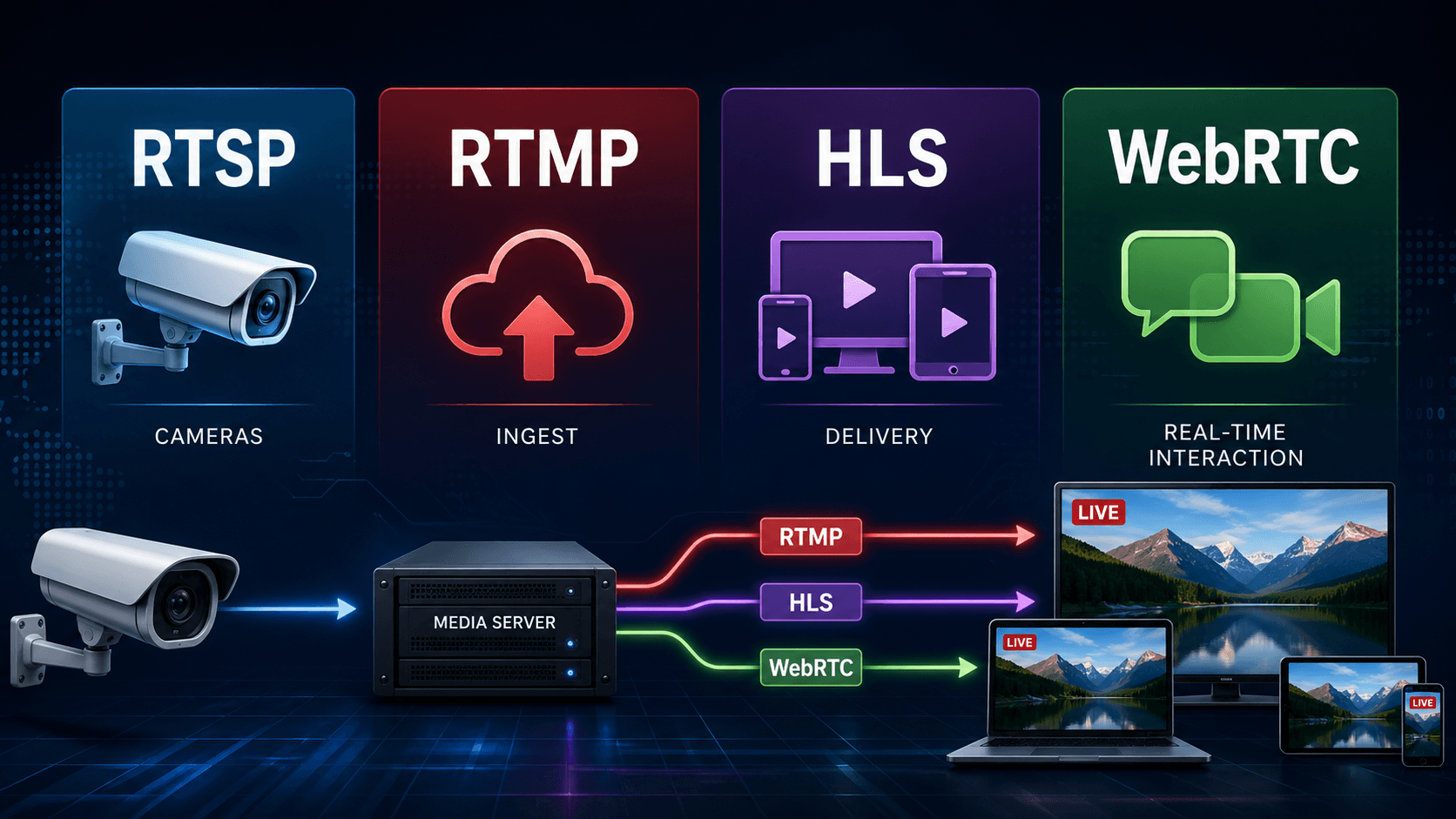
9. RTSP and modern streaming architectures
RTSP is excellent for device ingestion and control, but not ideal for browsers or massive public audiences:
- Browsers don’t support RTSP natively.
- CDNs are optimized for HTTP (HLS/DASH), not RTSP.
- Stateful sessions don’t scale as easily as stateless HTTP chunk delivery.
That’s why many modern architectures do:
IP Cameras (RTSP) → Ingest Server / Cloud Platform → HLS / DASH / WebRTC to viewers
The rtsp streaming protocol remains at the “edge” - close to the cameras and NVRs - while HLS/WebRTC handle distribution to end users.
10. How Realtime fits into RTSP streaming
For many teams, the hardest part of rtsp stream setup isn’t the camera - it’s getting that stream securely to thousands of viewers without breaking the network.
That’s exactly the problem Realtime is built to solve:
- Ingest RTSP feeds from IP cameras and NVRs.
- Transcode and package them into web-friendly formats.
- Deliver them through a global CDN with encryption and unlimited concurrent viewers.
- Provide recording, timelapses and clipping features on top of the live feed.
Instead of exposing your cameras directly, you send a single RTSP stream to Realtime and embed the resulting player on your website, app, or dashboard. You keep the flexibility and low-latency control of RTSP streaming on the device side, and get secure, scalable delivery for viewers anywhere.